Use Animations
Watch the built-in moments, then make one with your own photo or GIF.
- STEP 1Open Animations
It is on the bar along the bottom of the home screen. You will see the built-in moments, and under them any you have made.
- STEP 2Watch One
Tap a moment and it plays under Now Playing. Replay runs it again.
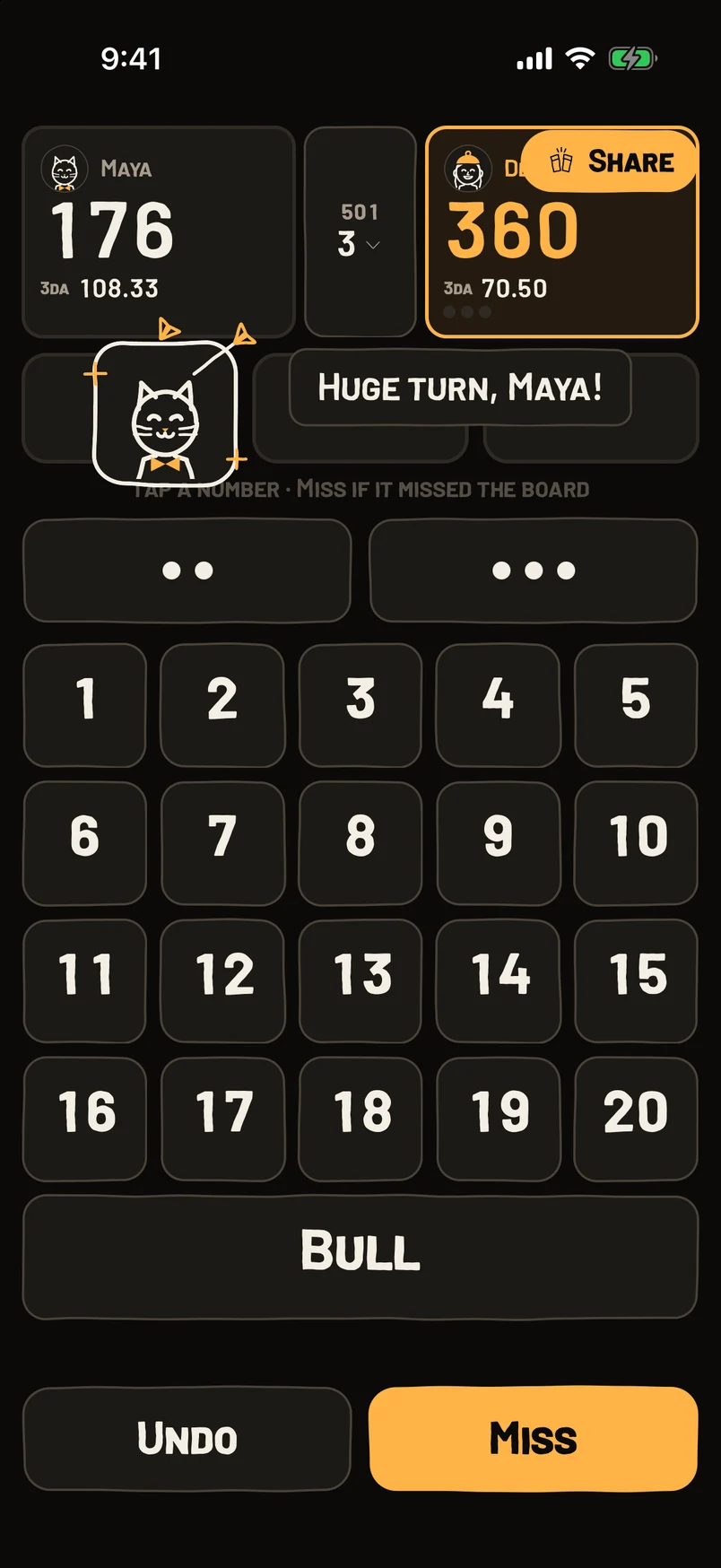
- STEP 3Make Your Own
Tap New animation and choose the moment it plays on.
- STEP 4Add Your Picture
Add a GIF, a photo, a Live Photo or a Genmoji. It is saved on your phone, so it plays without Wi-Fi. Add the player’s name if you want it to show who threw it.
- STEP 5Choose The Look
Card, Full screen or Sticker. Set how it comes in, how long it stays, whether it plays every time or once a match, and whether it gets confetti.
- STEP 6Check The Preview
The live preview plays every change straight away. When it looks right, you are done. It will play the next time that moment happens in a game.
Questions
Is there sound?
No. Bars are loud. The phone buzzes for whoever is holding it, if Haptic feedback is on in Settings.
Can I change the built-in ones?
Yes, tap Edit. Reset built-ins puts them back the way they came.
How do I get rid of one I made?
Open it and tap Delete animation.
Can my own picture star in them?
Yes. Pick a profile picture, a chalk drawing or a photo, and it shows up in your celebrations.
Still stuck? Email brian@coasterlogic.com.