Start Here
What is on the home screen and where everything lives.
- STEP 1Open Chalky
The first time you open it you get a 20-second tour. You can look around, find a bar and keep score without making an account.
- STEP 2Find Boards
Bars near you with dartboards. Orange pins are boards a Chalky player has confirmed.
- STEP 3Keep Score
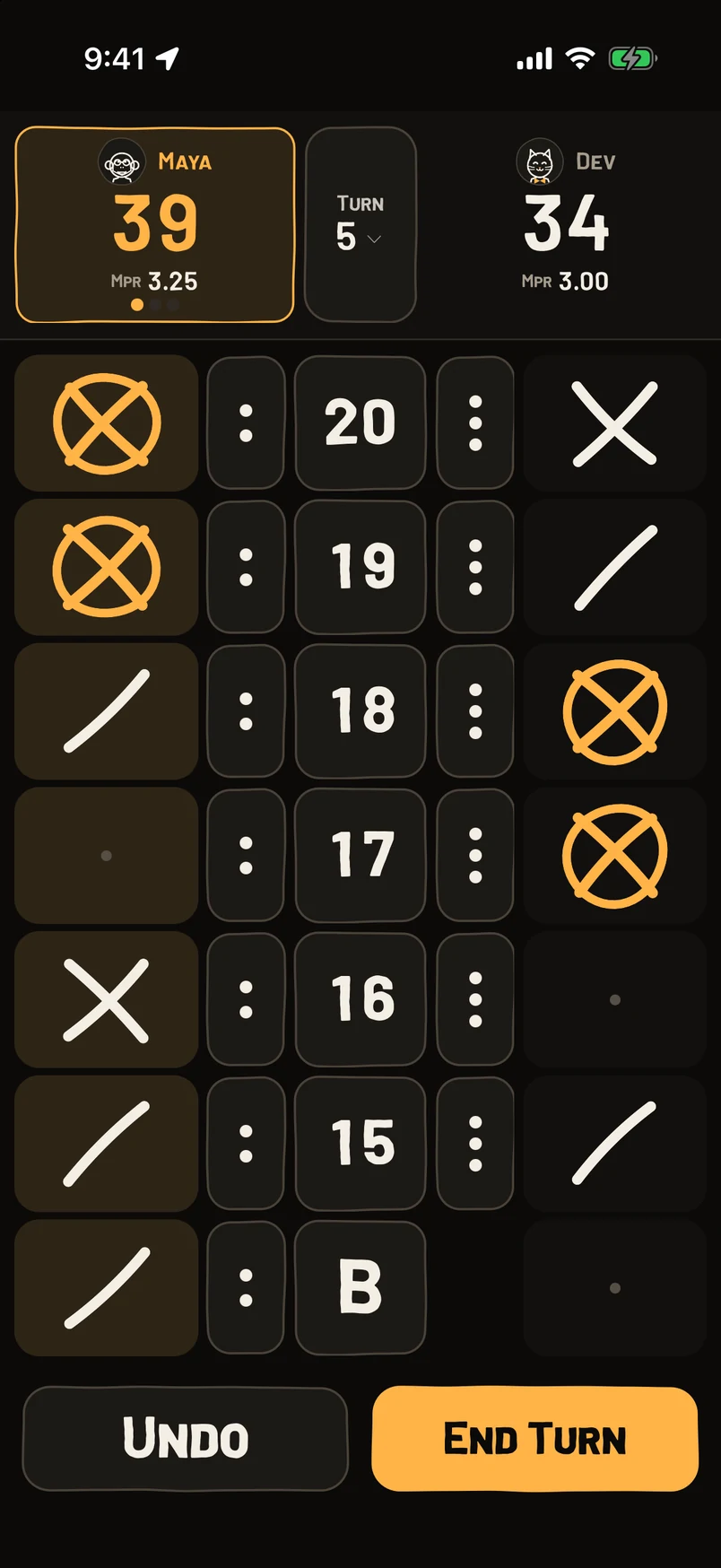
Cricket, 301 and 501. Tap where each dart lands and Chalky does the math.
- STEP 4The Bar Along The Bottom
Shortcuts to the rest: a quick two-player game, tournaments, animations, friends and your favorite bars.
- STEP 5Bring The Tour Back
Settings › App guide shows the tour again any time.
Questions
Do I need an account?
Not to find a bar or keep score. You sign in for friends, league practice and saving your games to the cloud.
Is it free?
Yes. No ads either.
Does it work on iPad and iPhone Duo?
Yes. On a Duo you can open it up and score on the big screen, or stand it on the table so the whole bar can see the score.
Is there an Android version?
Not yet. Chalky is for iPhone, iPad and iPhone Duo.
Still stuck? Email brian@coasterlogic.com.